

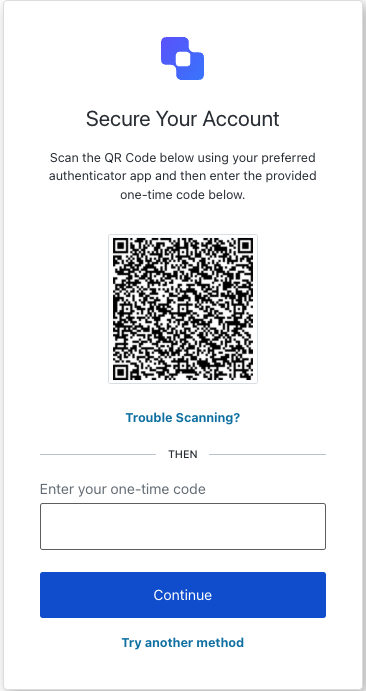
mfa-otp-enrollment-qr screen displays a QR code for the user to scan with their authenticator app to complete OTP enrollment.
Import
Each screen has its own set of hooks and methods. The SDK supports partial import and root import for each screen.- Using partial import allows you to include only the code you need for your specific use case.
- Using root import allows you to load all screens from a single bundle, which is useful when you want a unified build to handle all possible screens.
Import Example
Context Hooks
Screen-scoped hooks that provide read-only access to Auth0 context data on themfa-otp-enrollment-qr screen. Import them from @auth0/auth0-acul-react/mfa-otp-enrollment-qr.
() => BrandingMembers
This hook provides branding configurations, such as logo, colors, and theme settings displayed on the
mfa-otp-enrollment-qr screen.Example
() => ClientMembers
This hook provides client-related configurations, such as
id, name, and logoUrl, for the mfa-otp-enrollment-qr screen.Example
() => OrganizationMembers
This hook provides information about the user’s Organization if the MFA flow is Organization scoped. Returns
null when no Organization context is present.Example
() => PromptMembers
This hook contains data about the current prompt in the authentication flow.
Example
This hook contains details specific to the
mfa-otp-enrollment-qr screen, including its configuration and context.Example
() => TenantMembers
This hook contains data related to the tenant, such as
id and associated metadata.Example
() => TransactionMembers
This hook provides transaction-specific data for the
mfa-otp-enrollment-qr screen, such as the current MFA flow state.Example
() => UntrustedDataMembers
This hook handles untrusted data passed to the screen, such as prefilled values from URL parameters.
Example
() => UserMembers
This hook provides details of the active user, including
username, email, and available authentication methods.Example
This hook returns all methods and context available on the
mfa-otp-enrollment-qr screen.Methods
Promise<void>
This method submits the OTP code to verify the authenticator app is configured correctly and complete enrollment.Method Parameters
Example
Promise<void>
This method toggles the enrollment view between QR code and manual entry (secret key) modes.
Example
Promise<void>
This method navigates to the MFA method selection screen so the user can choose a different authentication factor.
Example
Common/Utility Hooks
Hooks
This hook gets the current theme options with flattened configuration from branding context.
Hooks
This hook returns a function for changing the display language on the current ACUL screen.
Hooks
This hook gets the current screen context and state.
Hooks
This hook reads and manages server, client, and developer errors on the screen.