

- When refresh token rotation is enabled:
Exchanging a non-rotating refresh token issues a new rotation refresh token and deletes all the non-rotating tokens issued for the same
client_id, , user and tenant. - When refresh token rotation is disabled:
Exchanging a rotating refresh token issues a non-rotating refresh token and revokes the rotating refresh token family issued for the same
client_id, resource server, user and tenant.
Configure in the Dashboard
- Go to Dashboard > Applications.
- Select the application you want to configure.
- Go to the Settings tab.
-
Under Refresh Token Rotation, enable Allow Refresh Token Rotation.
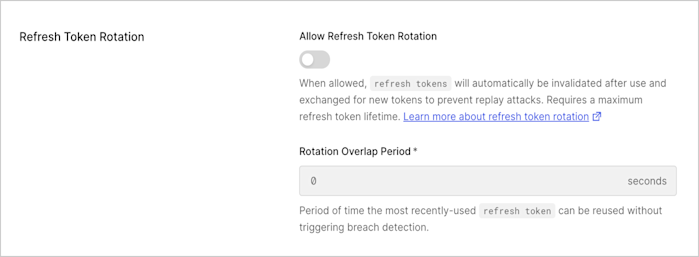
- Enter Rotation Overlap Period (in seconds) for the refresh token to account for leeway time between request and response before triggering automatic reuse detection. This overlap period helps to avoid concurrency issues when exchanging the rotating refresh token multiple times within a given timeframe. During the leeway window the breach detection features don’t apply and a new rotating refresh token is issued. Only the previous token can be reused; if the second-to-last one is exchanged, breach detection will be triggered.
- Select Save Changes.
Refresh Token Rotation is only supported for OIDC-conformant applications with the Refresh Token grant type enabled.
Configure with the Auth0 SPA SDK
You can use the Auth0 SPA SDK to enable refresh token rotation. You must enable offline access and request the offline access scope in the client SDK.-
Install the latest version of the
auth0-spa-jsSDK:npm install @auth0/auth0-spa-js -
Enable the feature on the SDK by setting
useRefreshTokens: trueto start sending theoffline_accessscope. -
Configure the Refresh Token rotation settings. For example:
Refresh Token Rotation is only supported for OIDC-conformant applications with the Refresh Token grant type enabled.